SAT Practice Apps for Teacher-Led Classroom Deployment
Teachers need tools that track thirty diverging test paths at once, not just one student's progress.
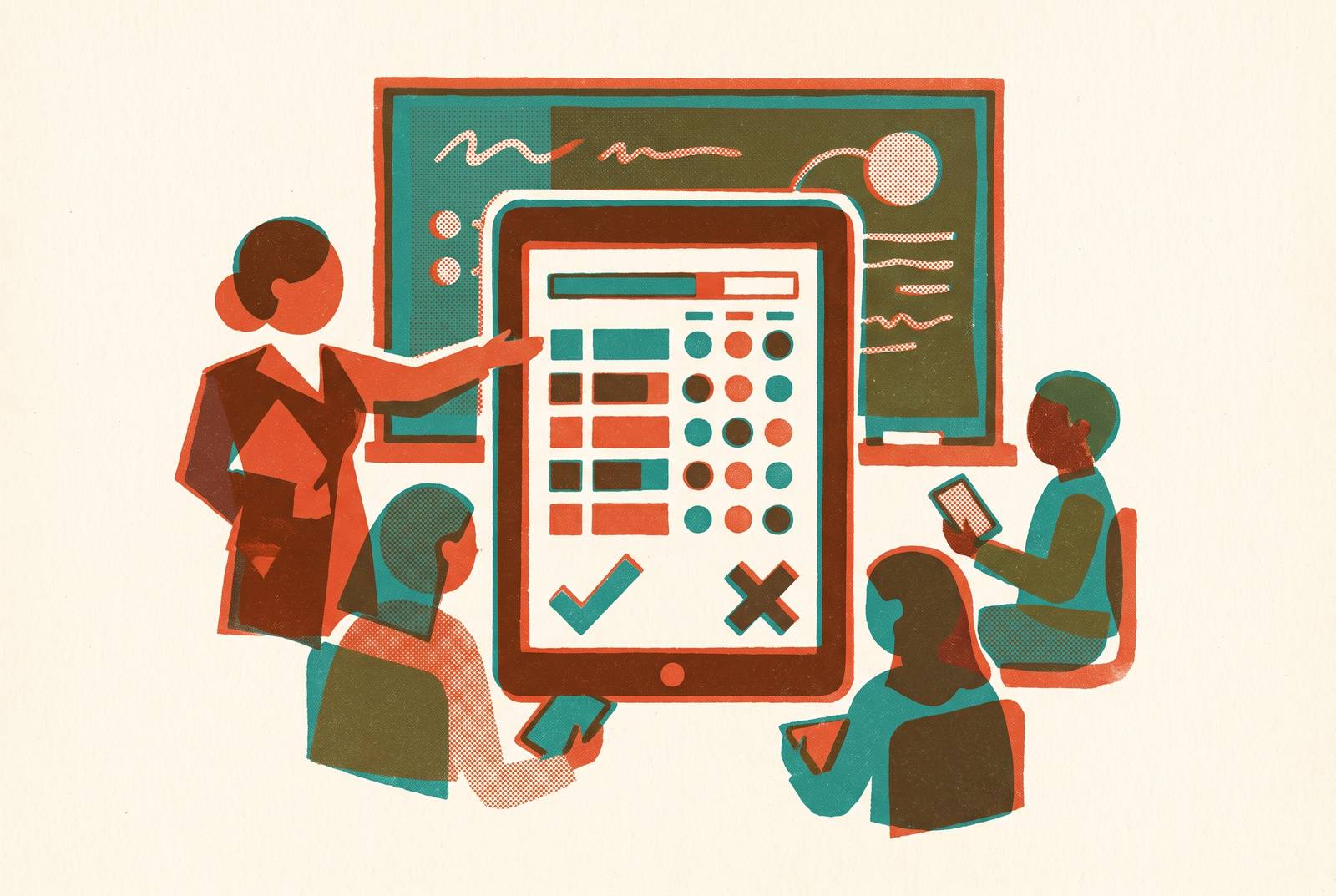
Deploying SAT practice apps across a classroom is a different task than handing one student an app and letting them go. The Digital SAT now runs on a multistage adaptive format: every student's performance on the first module decides which second module they get, easier or harder, depending on how they did. That's good news for an individual student, who ends up working on questions matched to their actual level. For a teacher standing in front of thirty students, it means thirty different paths branching off in thirty different directions after a single test module.
Most SAT prep apps on the market were built to solve the first problem, not the second. They give one student a personalized dashboard, a score projection, an AI tutor that follows that student and that student alone. None of that helps a teacher who needs to glance at a room and know, in thirty seconds, who's stuck on command of evidence questions and who's ready for harder material.
The real gap in the market sits between apps built for one learner and the tools a classroom actually needs: something that can hold thirty diverging tracks at once, point out where students are falling behind on specific skills, and hand out the right next assignment to the right student without the teacher rebuilding a plan from scratch for each one.
The four features that matter for classroom-scale SAT deployment
Judging an SAT app by how many questions it has, or how slick its AI explanations sound, misses what actually matters for a classroom. Four features separate tools that work at classroom scale from tools that don't, and solo-student apps rarely build in any of them by design.
The first is a dashboard that shows gaps across the whole class at once, not just within one student's profile. A teacher needs to see, in one view, which skills are weak across the room and which students are weak on which skills, turning raw practice data into something a teacher can act on instead of a pile of individual scores to sort through by hand.
The second is adaptive pacing that works at class scale. The adaptive nature of the Digital SAT already personalizes each student's practice and finds gaps faster than a static set of questions ever could. But that personalization has to be visible and manageable from the teacher's side. A platform that adapts brilliantly for the student but shows the teacher nothing useful is still a solo-prep tool wearing a classroom costume.
The third is AI grading that scales without adding to a teacher's workload. Grading written or open-response SAT work by hand, across even one class period, is the single biggest time sink in classroom SAT prep. AI grading can remove that ceiling entirely, but only if it's built well and fed well, a point the next section works through.
The fourth is compatibility with the school's existing learning management system. A tool that makes a teacher export results, reformat spreadsheets, and type grades into Google Classroom or Canvas by hand will get used twice and then abandoned. Native sync to an LMS stopped being a nice extra years ago. It's baseline infrastructure now.
Every tool examined next gets measured against these four criteria, nothing else. Question count and slick interfaces are table stakes. The four features above are what separate a tool a teacher keeps using from one that sits unopened after week two.
How 2026 tools measure up against that framework
The 2026 market has real options for classroom-facing SAT prep, but they split into distinct categories: tools built around educator infrastructure, student-facing adaptive apps with limited teacher visibility, and AI grading overlays that plug into existing classroom workflows. No single platform checks all four boxes equally well, so the right choice depends heavily on the classroom it's going into.
EdisonOS leans hardest into educator infrastructure. It's built for tutors, coaching institutes, and test prep businesses juggling multiple students and multiple batches from one dashboard, with over 5,000 vetted questions and more than 20 full-length adaptive mock tests built to replicate the Bluebook interface. The teacher-facing tools go deep: a Build Your Own Tests feature using the question bank or a teacher's own material, bulk uploads, student management, homework assignment, live classes, a dedicated Tutor Mode, session logs, parent reports, and batch management across groups. Reporting covers scaled scores, section analysis, skill analysis, time analysis, performance by difficulty level, and skill trends across multiple tests. That depth makes this kind of platform a strong fit for coaching institutes and tutoring programs running many students through a shared system. It fits less naturally into a public school classroom built around a single LMS-centric workflow, where the batch-and-business framing matters less than direct Google Classroom or Canvas sync.
PrepDrills SAT leans into adaptive fidelity and fast AI feedback. It offers a full Bluebook-style simulation, a large question bank, adaptive routing into the harder or easier second module, and dedicated training on Desmos, the graphing calculator built into the Digital SAT's math section. Its feedback engine is built on how real SAT teachers diagnose student errors, not just which answer choice a student picked, which answers a common objection to algorithm-driven prep: that no adaptive engine can replace a teacher's sense of how a mistake happened. That pedigree matters for feedback quality. The documentation available doesn't spell out a full teacher dashboard feature set, so classroom management claims should stay modest until that's clearer.
SAT Prep 2026, built by Smartschool, wins on sheer question volume and adaptive learning tuned to the individual student. It offers a large bank of Bluebook-compatible questions spanning every math and reading and writing question type, a substantial library of full-length adaptive tests, and an AI tutor that walks through step-by-step solutions while adaptive tracking adjusts continuously to a student's progress. What it doesn't offer, at least based on what's documented, is batch management, a class-wide dashboard, or LMS sync. A teacher using it would need to pull progress data together manually. That makes it a solid choice for independent homework practice assigned to individual students, and a weaker one as the backbone of classroom management.
CK-12's SAT Math Test Prep Generator solves a different problem entirely: cost. CK-12 Foundation is a non-profit, and its SAT Math generator sits inside a broader set of free AI teacher tools built explicitly for classroom use, which removes the budget barrier that keeps plenty of public schools from adopting any paid platform. Its scope stays narrow, limited to math, without the same depth on Reading and Writing. For a teacher who needs a no-cost entry point, or a math-specific supplement to pair with something else for Reading and Writing, that scope is a feature, not a flaw.
One more platform rounds out the field, built around a specific premise: drilling more practice problems isn't enough on its own, because students need to understand where their reasoning actually breaks down, and teachers need visibility into those breakdowns across the whole class. That platform combines unlimited practice problems with AI-powered grading designed to hold up under volume, tying feedback to the specific concept a student is missing. It's built for both individual students and for teachers and schools trying to close gaps across a classroom, with the teacher-facing use case built in from the start. It also covers AP subjects alongside the SAT, which suits teachers juggling AP and SAT prep inside the same course.
No tool here wins outright across all four criteria. The right pick depends on what kind of classroom is asking the question, a coaching business running batches of students, a public school teacher embedded in Canvas, or a department with no budget at all for new software.
What teachers must do to use AI grading well
Of the four features that matter for classroom deployment, AI grading does the most to change how a teacher's day actually goes. Grading essays, short responses, and open-ended math reasoning by hand, across a full class, eats hours that teachers don't have. AI grading can remove that ceiling, letting feedback reach every student without the teacher drowning in red ink. But the quality of that feedback rests almost entirely on one thing: the rubric the teacher feeds the system.
A poorly built rubric produces AI grading that looks confident and scores badly. Rubric design is quickly becoming the central skill a teacher needs in an AI-assisted classroom, more so than picking the right app. For AP writing practice specifically, tools built around AP and IB rubric libraries, such as CoGrader, use grading engines aligned to how AP writing is actually scored, producing feedback calibrated to official exam standards rather than a generic rubric built for general essay writing. As of January 2026, teachers writing free-response questions can pull from official rubrics directly, closing the gap between a teacher-made assessment and how the real exam gets scored. That same discipline, building or sourcing a precise rubric before turning AI grading loose, should carry into any classroom SAT deployment.
There's an equity question teachers need to keep in view here. Automated grading tools have been found to replicate the same score discrepancies for English language learners that show up in human scoring, though research hasn't consistently found that AI grading introduces new bias against ELL students producing equivalent-quality work beyond what human graders already show. That's a reason for teachers in classrooms with a lot of English language learners to check AI-generated grades before those grades feed into anything consequential, like a report card or a placement decision. It's a reason to treat AI grading the way any grading tool deserves to be treated: checked, not trusted blindly.
The friction that used to block adoption, moving AI-graded work into a gradebook, is disappearing fast. Tools like EssayGrader now sync directly with Google Classroom, Canvas, and Schoology, so AI-graded practice work flows straight into a school's existing gradebook without a teacher retyping a single score. Canvas itself added AI grading as a built-in feature in 2026, which says something about where this is headed: LMS-native grading assistance is turning into basic infrastructure, the same way spell-check or a built-in calculator did, rather than staying a premium feature only some schools can afford.
Google's free market entry and its effect on paid tools
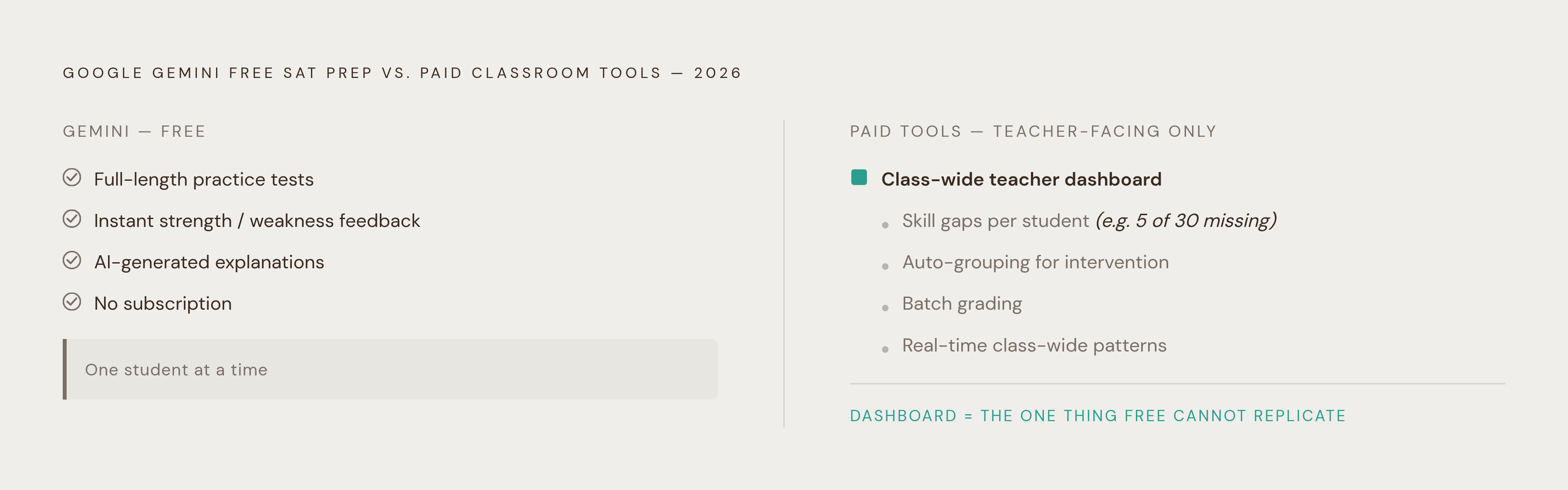
Google Gemini launched free SAT prep in early 2026, and that single move reshuffled the whole market for paid classroom tools. The free version includes full-length practice tests, instant feedback on a student's strengths and weaknesses, and AI-generated explanations available on request for any question, all at no cost and with no subscription required. Any student with a Gemini account can now get a genuinely strong, AI-powered practice experience for free.
What that student doesn't get, no matter how good Gemini's explanations are, is a teacher who can see their progress next to everyone else's in the room, assign them the right remediation at the right moment, or track how their trajectory compares to the rest of the class. That's a different job than answering a question correctly, and it's a job no consumer-facing free tool is built to do.
That gap points straight at what paid classroom tools now need to sell: not the question bank, not the AI explanation engine, but the teacher dashboard sitting on top of both. The obvious objection to any paid platform in 2026 is some version of "why pay when Gemini is free?" Gemini can't tell a teacher which five students, out of thirty, are systematically misreading data interpretation questions on the Reading and Writing section, and it can't automatically group those five students for a targeted intervention next class period. A free tool answers questions. A classroom tool answers a teacher's question about the room.
That pressure should sharpen how teachers evaluate every paid option on the table. A platform competing mainly on question volume or the quality of its AI explanations is competing on ground that a free tool now covers adequately for most students. A platform competing on class-wide visibility, batch grading, and a dashboard a teacher can act on in real time is competing on ground Gemini doesn't touch. Free prep raised the floor for students. It also raised the bar for what a paid tool has to prove it's worth.
A Well-Deployed Classroom SAT Program
The framework and the tool landscape together produce a clear weekly rhythm: baseline assessment, gap identification, differentiated assignment, AI-graded feedback, and a teacher reviewing class-wide patterns. The tools carry the labor. The teacher carries the judgment.
Week one starts with a full-length adaptive mock test, giving every student a baseline score broken down by skill domain, not just an overall number. The dashboard does the heavy lifting here, surfacing where the class clusters together and where individual students pull away from that cluster, work a teacher used to have to do by hand with a spreadsheet and a free period.
From there, differentiated assignment becomes workable at scale, as long as the platform supports it natively instead of requiring a separate plan built by hand for each student. Advanced students get harder problems in whatever domain they're weak on. Struggling students get foundational practice in that same domain. Both get tracked inside one dashboard, giving the teacher a single system to see who's working on what, the same logic AP Calculus classrooms use when they assign BC-level challenge problems to advanced students while giving foundational limits practice to students still building that base. That's the template for what real differentiation looks like once software is doing the bookkeeping.
AI grading then takes on the written and open-response work at scale. The teacher's job at that stage is scanning the class-wide summary for patterns, like a rubric point that a dozen students are all missing in the same way, which tells the teacher something a single paper never would: that the whole class needs a five-minute reteach on that one point before moving forward.
What changes, across all of this, is the shape of the teacher's job itself. Grading and assigning stop eating the bulk of class prep time. Diagnosing what's actually going wrong, and designing the right intervention for it, takes that time's place. The tools handle the volume. The teacher handles what the volume means.